Used in modules:
Integrations
FAQ / How do I activate the "Analytics" module?
Settings → Integrations
- Choose an integration package if the integration has not been previously used in the company;
- To enable the integration, check the box “The service is active” and select the company that will cover the plan;
- Save the settings.
To mass-activate the analytics module for your other companies, select activate and choose a payer for all companies.
If you want each company to pay separately for its own analytics module, you can assign a different payer to each company.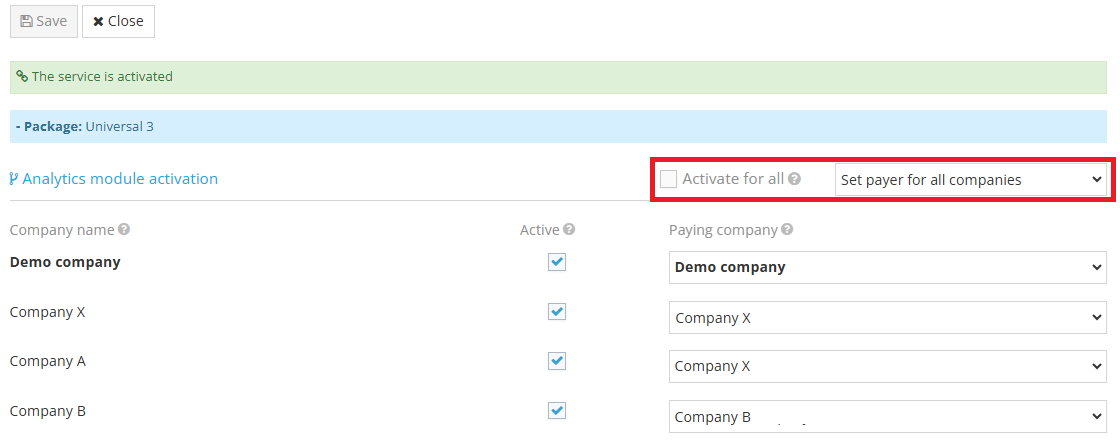
Note. After saving, the analytics module becomes available to users with the roles “Accountant” or “Manager.”