FAQ / How to import sales documents to B1.lt?
This sales import creates sales records in the program, but the product write-off is not executed. Therefore, it is not suitable for those conducting quantity accounting, as it does not reduce product quantities in the warehouse.
Before importing sales documents, you need to:
A. Import client cards
B. Import product (service) cards
Before importing sales documents, you need to:
A. Import client cards
B. Import product (service) cards
Parameters → Data Import → Sales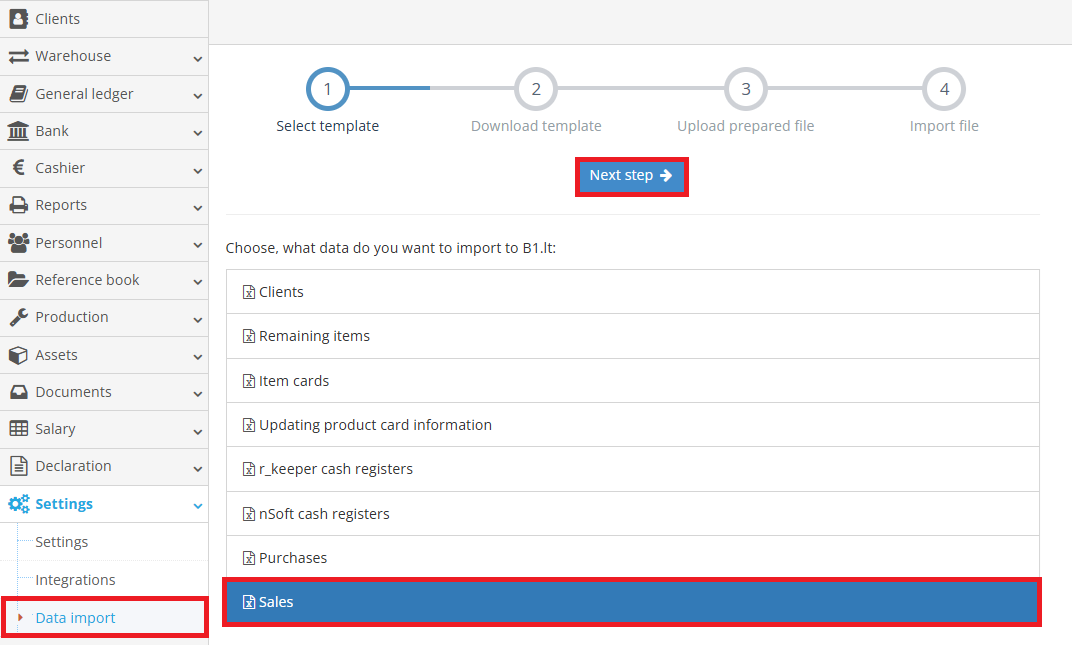
- In the opened window, download the data file Excel template by clicking the "Download Template" button, then click the "Next Step" button.
For filling in the template, column values are provided in the B1.lt program. Pay attention to which fields are mandatory — optional fields can be left blank.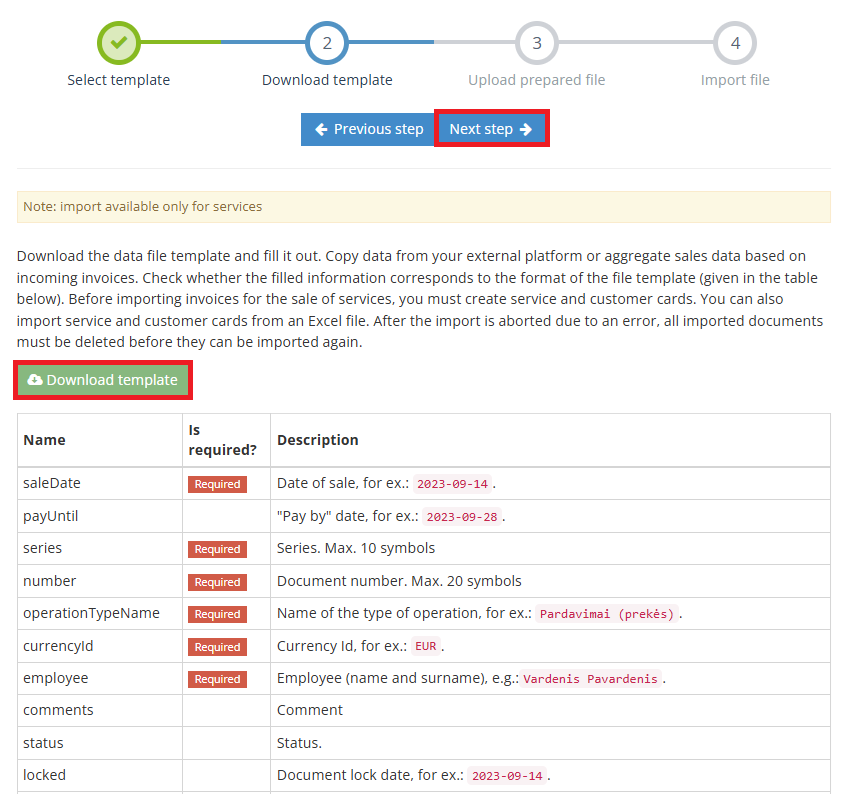
- Upload the prepared file.
- The prepared file will be imported automatically.
In the Warehouse → Sales module, you can find the imported sales documents.
Note: A single file can contain multiple sales document entries.
If a sales document has multiple sales lines, the document number, date, customer (buyer), and other repeating information should be filled in as many times as there are service lines.
Since only services are imported, you can choose one of the common service cards and use column AD "postscript" to fill in detailed information about the sold product or service.