Used in modules:
Bank link with cor. account, Dashboard (company)
FAQ / Bank connection with cor. account, how to connect a bank?
To register bank receipts in the B1.lt program, link the bank accounts with the relevant accounts. Here’s how to do it:
Add to the chart of accounts:Go to General ledger → Chart of Accounts.
Create all the bank account accounts used in the company.
Note: Each currency should have a separate account. If you have a bank account in a different currency, check the "Currency fluctuations" box.
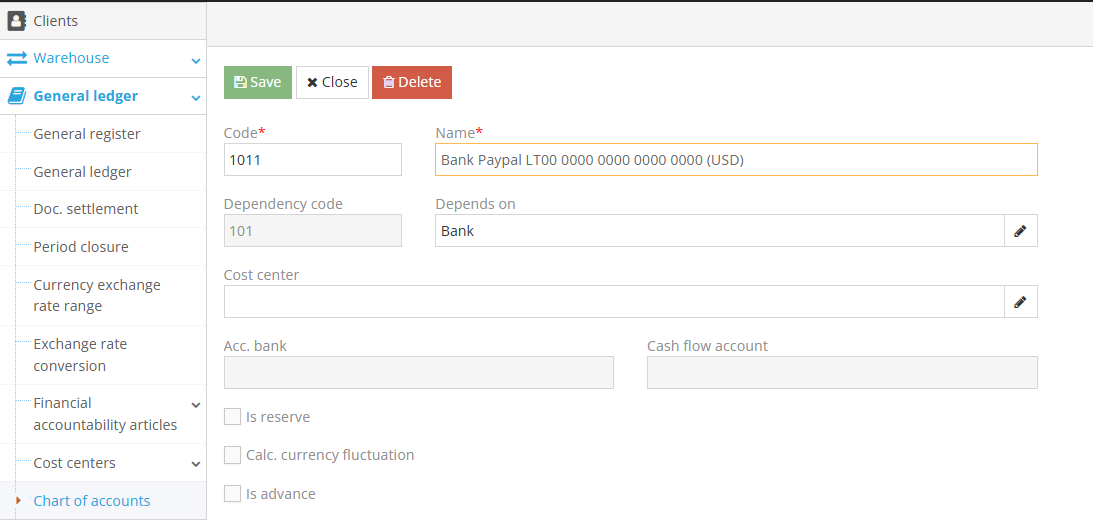
- Bank Accounts
Find your company in the Clients module, open it, and enter all company bank accounts under the Bank Accounts page.
Once inside the bank accounts section, click the green Add button to add a new account.
Don't forget to check the boxes for the Primary account and Show in Invoice (this will be visible on the sales invoice).
After filling in the fields, click Save.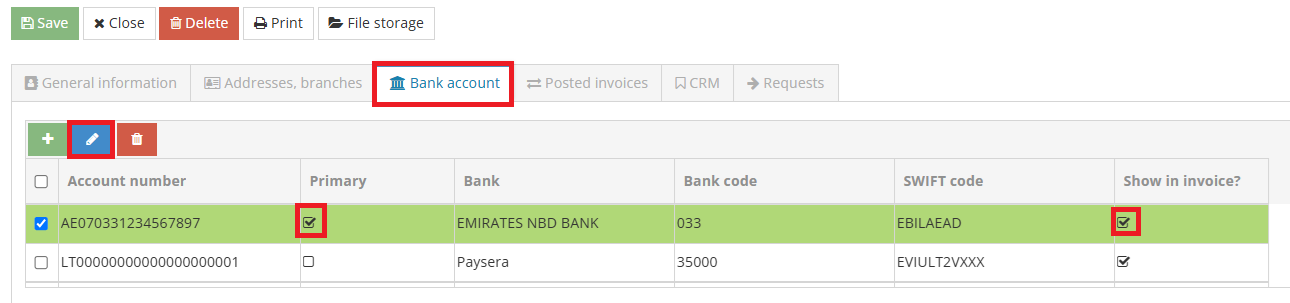
- Link the bank account with the relevant account
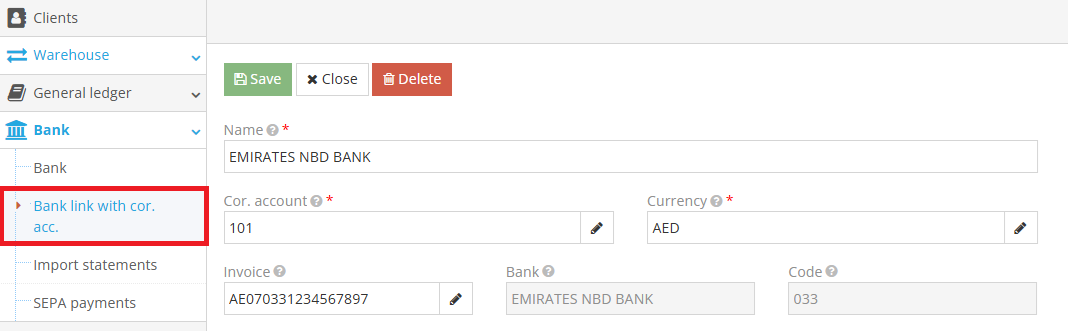
Go to Bank → Bank link with cor.acc.
Once in the module, click the green Add button and select the created relevant account.
Enter the name, select the currency, and choose the bank account.